Three.js
Three.js is a rich JavaScript library for computer graphics representation on browser using WebGL. Visit their documentation and examples top understand better.
Three.js Common Components
Getting started
Install Three.js developement kit, import or link the CDN to use Three.js
import * as THREE from "https://cdn.skypack.dev/three@0.132.2";
import { OrbitControls } from "https://cdn.skypack.dev/three@0.132.2/examples/jsm/controls/OrbitControls.js";
<script type="importmap">
  {
    "imports": {
      "three": "https://cdn.jsdelivr.net/npm/three@0.163.0/build/three.module.js",
      "three/addons/": "https://cdn.jsdelivr.net/npm/three@0.163.0/examples/jsm/"
    }
  }
</script>
<script type="module" src="example.js">
  // Three JS goes here without 'src' attribute
</script>
A demo of Three
import * as THREE from "https://cdn.skypack.dev/three@0.132.2";
import { OrbitControls } from "https://cdn.skypack.dev/three@0.132.2/examples/jsm/controls/OrbitControls.js";

const scene = new THREE.Scene();

const camera = new THREE.PerspectiveCamera(45, window.innerWidth / window.innerHeight, 0.1, 1000);
camera.position.set(15, 16, 13);
camera.lookAt(scene.position);

const renderer = new THREE.WebGLRenderer();
renderer.setSize(window.innerWidth, window.innerHeight);
renderer.shadowMapEnabled = true;   // Enable Shadow
document.body.appendChild(renderer.domElement);

const controls = new OrbitControls(camera, renderer.domElement);
controls.update();

// Geometry + Material = Mesh
const planeGeometry = new THREE.PlaneGeometry(20, 20);
const planeMaterial = new THREE.MeshPhongMaterial({ color: 0xcccccc, side: THREE.DoubleSide });
const plane = new THREE.Mesh(planeGeometry, planeMaterial);
plane.receiveShadow = true;
plane.rotation.x = -0.5 * Math.PI;
plane.position.y = 0;
scene.add(plane);

const colors = [0xff0000, 0x0088aa, 0xaaaaaa, 0xdddd00]; // Red, blue, grey, yellow
const cl = colors.length;

const materials = [
    new THREE.MeshBasicMaterial({ side: THREE.DoubleSide }),
    new THREE.MeshPhongMaterial({
        specular: 0xffffff, shininess: 100,
        side: THREE.DoubleSide // for drawing the inside of the tube
    }),
    new THREE.MeshStandardMaterial({
        metalness: 0.9, roughness: 0.4,
        side: THREE.DoubleSide
    }),
    new THREE.MeshLambertMaterial({
        wireframe: true, wireframeLinewidth: 2,
        side: THREE.DoubleSide
    })
];
const ml = materials.length;

const geometries = [
    new THREE.SphereGeometry(1, 16, 8),
    new THREE.ConeGeometry(1, 2, 16),
    new THREE.BoxGeometry(1.5, 1.5, 1.5),
    new THREE.CylinderGeometry(1, 1, 2, 16),
    new THREE.RingGeometry(0.3, 1, 16),
    new THREE.TorusGeometry(1, 0.5, 16, 16),
    new THREE.TorusKnotGeometry(1, 0.3, 128, 8),
    new THREE.IcosahedronGeometry(1),
    new THREE.DodecahedronGeometry(1),
    new THREE.OctahedronGeometry(1),
    new THREE.TetrahedronGeometry(1),
    // new THREE.CapsuleGeometry(1, 1, 4, 16)
    // Custom geometries:
    // EdgesGeometry
    // ExtrudeGeometry: create 3D using 2D shape
    // LatheGeometry: based on f(x) on x axis
    // PolyhedronGeometry: specifying vertexs
    // ShapeGeometry: create 2D shape
    // TubeGeometry: extrude along 3D curve
    // WireframeGeometry: create 2D shape
]

var items = []
for (let i = 0; i < 4; i++) {
    for (let j = 0; j < 4; j++) {
        var geometry = geometries[(i * 4 + j) % geometries.length];
        var material = materials[rand(ml)];
        var item = new THREE.Mesh(geometry, material);
        var pos = grid_pos(i, j);
        item.position.set(pos[0], pos[1], pos[2]);
        item.material.color.set(colors[rand(cl)]);
        item.castShadow = true;
        scene.add(item);
        items.push(item);
    }
}

const distance = 50;
const angle = Math.PI / 16;
const penumbra = 0.5;
const decay = 0.1;

const spotLight = new THREE.SpotLight(0xffffff, 1, distance, angle, penumbra, decay);
spotLight.position.set(10, 20, -20);
spotLight.castShadow = true;
scene.add(spotLight);

const ambientLight = new THREE.AmbientLight(0x101010);
scene.add(ambientLight);

const directionalLight = new THREE.DirectionalLight(0x886200, 1);
directionalLight.position.set(10, 20, 20);
directionalLight.castShadow = true;
scene.add(directionalLight);

// const hemisphereLight = new THREE.HemisphereLight(0x4040ff, 0xffff80, 1.0);
// hemisphereLight.position.set(-10, 20, 20);
// hemisphereLight.castShadow = true;
// scene.add(hemisphereLight);

const light = new THREE.PointLight(0xE11584, 1, 100);
light.position.set(0, 5, 0);
light.castShadow = true;
scene.add(light);

const rectAreaLight = new THREE.RectAreaLight(0xff0000, 1.0, 200, 200);
rectAreaLight.position.set(-10, 20, -20);
rectAreaLight.lookAt(0, 0, 0);
scene.add(rectAreaLight);


const gridHelper = new THREE.GridHelper(10, 10);
scene.add(gridHelper);

const yGrid = new THREE.GridHelper(10, 10);
yGrid.rotation.x = Math.PI / 2; // Rotate the grid to align with the Y-axis
scene.add(yGrid);

const axesHelper = new THREE.AxesHelper(5);
scene.add(axesHelper);

const cameraHelper = new THREE.CameraHelper(camera);
scene.add(cameraHelper);

const spotLightHelper = new THREE.SpotLightHelper(spotLight);
scene.add(spotLightHelper);

const directionalLightHelper = new THREE.DirectionalLightHelper(directionalLight, 5);
scene.add(directionalLightHelper);

const pointLightHelper = new THREE.PointLightHelper(light);
scene.add(pointLightHelper);

var ypos = [];
for (let i = 0; i < 16; i++) {
    ypos.push(Math.random());
}

var animate = function () {
  requestAnimationFrame(animate);
  // required if controls.enableDamping or controls.autoRotate are set to true

  var time = performance.now() * 0.001; // Get current time in seconds
  var amplitude = 1;
  var frequency = 1;
  for (var i = 0; i < items.length; i++) {
      var yOffset = 2 + Math.sin(time * frequency + ypos[i] * 10) * amplitude; // Calculate y offset based on sine function
      items[i].rotation.y += 0.01;
      items[i].position.y = yOffset;
  }

  controls.update();
  renderer.render(scene, camera);
}

function grid_pos(x, y) {
  return [(x - 2) * 4 + 2, 1, (y - 2) * 4 + 2];
}

function rand(n) {
  return Math.floor(Math.random() * n);
}

function handleResize() {
  camera.aspect = window.innerWidth / window.innerHeight;
  camera.updateProjectionMatrix();
  renderer.setSize(window.innerWidth, window.innerHeight);
}

animate();
window.addEventListener('resize', handleResize, false);
Geometry
Geometry defines the shape of the 3D object through vertices, faces, and edges.
Material
Materials define how the surface of a mesh looks when rendered, including its color, reflectivity, texture, and lighting response.
| Material | Description |
|---|---|
| MeshBasicMaterial | A material that doesn’t react to light |
| MeshStandardMaterial | Supports lighting and reflections, used for realistic rendering |
| MeshPhongMaterial | Includes specular highlights for shiny surfaces |
| MeshLambertMaterial | For non-shiny surfaces, without specular highlights |
| MeshNormalMaterial | Maps the normal vectors to RGB colors |
| MeshPhysicalMaterial | Extension of the MeshStandardMaterial, providing more advanced physically-based rendering properties |
| MeshDepthMaterial | The closer to the camera, the brigther it is |
| MeshToonMaterial | A material implementing toon shading |
Helper
Helper helps visualize light, directions, camera and position of elements.
Light
| Types | Description |
|---|---|
| AmbientLight | General light that illuminates all objects equally |
| DirectionalLight | Like sunlight, casts parallel rays from a specific direction |
| HemisphereLight | Different light source from sky and ground |
| PointLight | A light that emits in all directions from a point (like a light bulb) |
| SpotLight | A cone-shaped light that shines in a specific direction |
| RectAreaLight | Simulate light source from a window |
Loader
User loader to load tools into the model
const textureLoader = new THREE.TextureLoader();
const texture = textureLoader.load('path/to/texture.jpg');
const material = new THREE.MeshBasicMaterial({ map: texture });
const mesh = new THREE.Mesh(geometry, material);
scene.add(mesh);
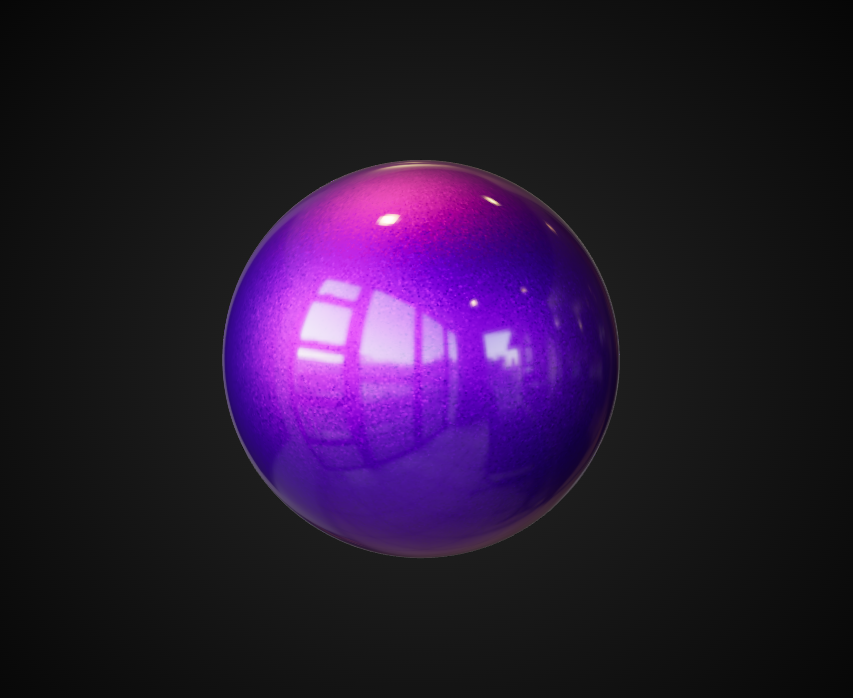
Amazing Three.js examples
Other Web Graphics Applications
Procedual-GL.js
Procedural GL JS is a library for creating 3D map experiences on the web, written in JavaScript and WebGL. It is built on top of THREE.js.
Path Tracing
This is an amzing real-time PathTracing with global illumination and progressive rendering, all on top of the Three.js WebGL framework.